
The terminal is for developers.
“Start” is for everyone.
Register any dev server once, then just hit Start. Next, Vite, Cargo, Docker — anything you'd type to run it. Ships with an MCP server so Cursor and Claude Code can drive your processes.
Free for 7 days · no credit card · macOS 14+ · Windows 10+
built by a dev who mass killed terminals daily.
What is devglow?
devglow is a desktop app for macOS and Windows for running local development servers without staying in the terminal. You register any shell command — Next.js, Vite, Hugo, Rails, Flask, Cargo, Go, Docker, or anything else — and start, stop, or restart it with a click or a keystroke. Real-time logs are searchable with ⌘F, and port conflicts are detected automatically. When a port is already in use, devglow shows exactly which process is blocking it and lets you kill it in one click. You can group the processes you watch together into a workspace, which holds its own split layout and updates as you work, with no save step. Switching to another workspace takes one keystroke and stops nothing, so two projects can run at once. It ships with an MCP server too, so AI coding tools like Cursor and Claude Code can register, start, stop, and monitor your processes directly. devglow works alongside terminal multiplexers like tmux. Different layer, no overlap.
Features
›MCP Integration
Claude Code, Cursor, and any MCP-compatible agent can start, stop, and monitor your processes directly.
›Quick Launch
Press ⌘K to find and start any process. Fuzzy search across every registered command.
›Port Conflict Detection
See exactly what process is blocking your port. Kill it with one click.
- ·One-click start / stop / restart for any process
- ·Workspaces — a split layout per project, switched with one keystroke
- ·Interactive terminal (PTY) for Flutter, Expo, and Metro
- ·Built-in log viewer with a 5 MB ring buffer
- ·Section grouping — running, registered, AI processes
- ·Command-centric — any shell command works
- ·Tag processes into groups and start a whole group at once
- ·Reachable however you want it — dock, menu bar, taskbar, tray, or a global shortcut
See it run
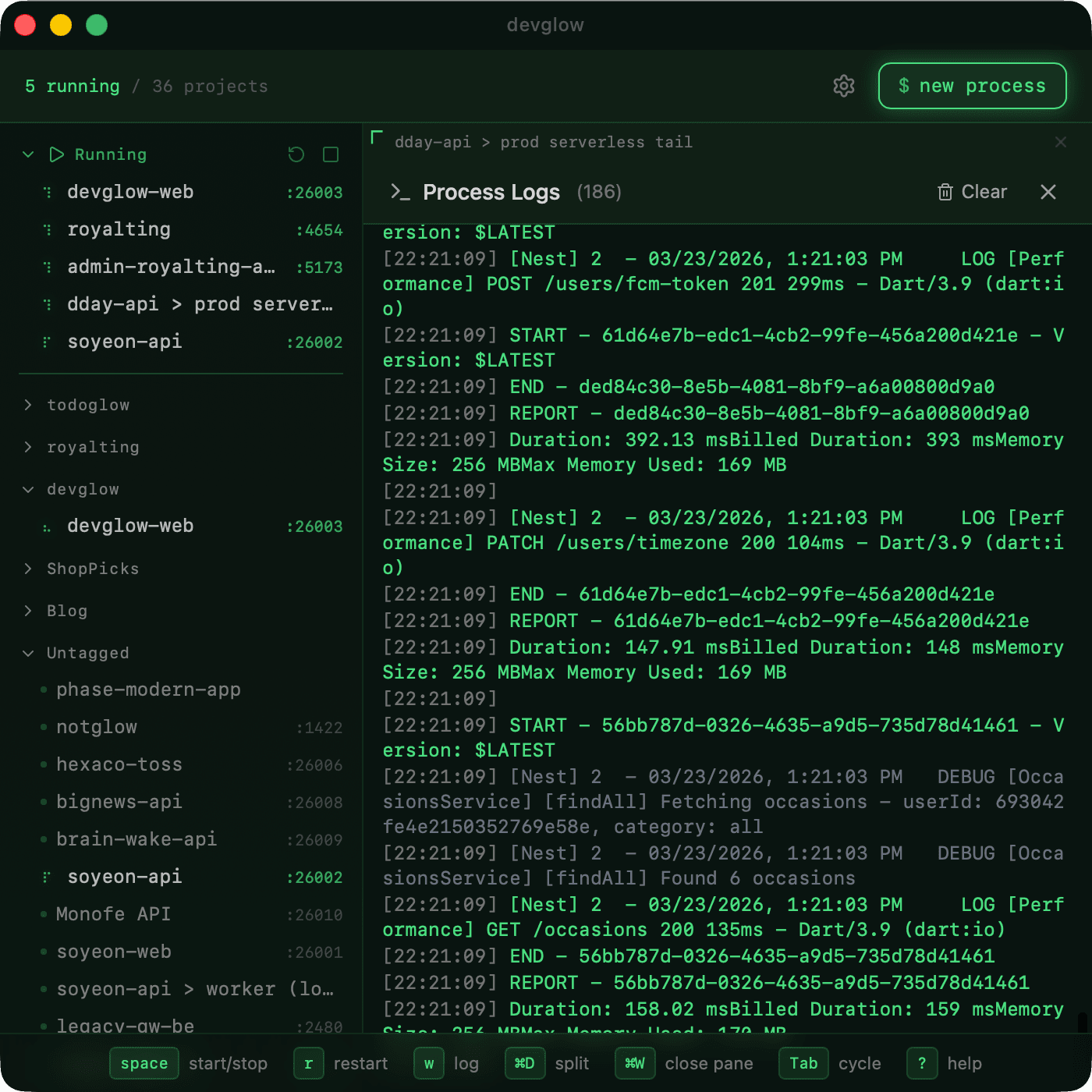
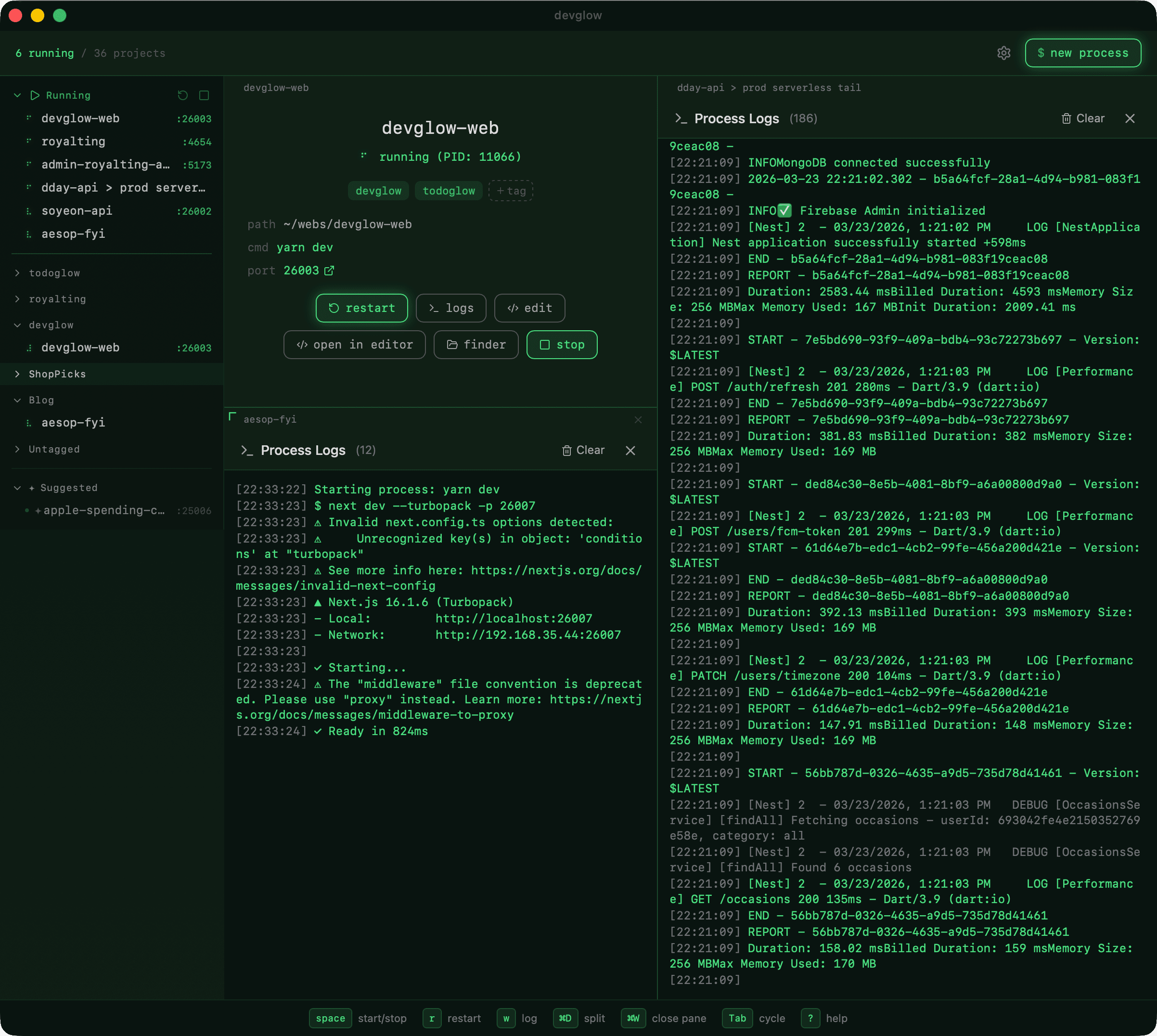
Hot reload without the terminal
betaSome dev tools need a real terminal. flutter run, expo start, and Metro read single keystrokes — r to hot reload, R to restart, a keypress to pick a device. devglow runs them in a real pseudo-terminal, so those keys work from buttons instead of a terminal you keep switching back to.
Register flutter run and devglow turns on interactive mode for you. Hit Start, then tap hot reload or restart right from the process pane.
- ›Hot reload & restart buttons for Flutter, Expo, and Metro
- ›Send any keystroke to the running process
- ›Auto-detected — no extra setup for known commands
Connect your AI agent
One command to connect:
claude mcp add -s user devglow -- npx --prefer-offline devglow-mcp@latestWorks with any MCP-compatible tool · stdio, HTTP, and SSE supported
What people say
“Simple, straightforward, and aesthetically very pleasing. Your design philosophy is top level.”
— r/MacOSApps
“At first glance, I didn't think it was for me. I think the MCP integration won me over though! Cool stuff!”
— r/macapps
Also from Glow Suite

todoglow
Keyboard-first todo app for Mac & Windows
Download
Free for 7 days. No credit card. lifetime · no subscription.
macOS 14 (Sonoma) or later (Apple Silicon and Intel) · Windows 10 or later (64-bit).