
Hit ^⌘/
Type. Done. Gone.
No app switching. No mouse. Just keystrokes.
Free for 14 days · no credit card · macOS 14+ · Windows 10+
What is todoglow?
todoglow is a keyboard-first todo app for macOS and Windows. It opens with a single global shortcut, accepts your input, and gets out of the way. No folders, no tags, no due dates. Just a flat list of things you'll finish today. It ships with an MCP server for AI coding tools like Claude Code and Cursor, tracks active work time (not wall-clock time), and costs $14.99 once with no subscription.
Five clicks to add a todo. Really?
Open app → find list → click add → type → click save.
We made it one shortcut.
Keyboard-first workflow in action
AI Agents
LabYour AI works in the background. todoglow keeps you posted.
Claude Code, Cursor, or any MCP-compatible tool — they auto-register in the AGENTS panel.
See what's working, waiting, done, or failed.
Promote a finished agent thread to your todo list with one key.
One command to connect:
claude mcp add -s user todoglow -- npx --prefer-offline todoglow-mcp@latestRequires v1.1.0+ · Works with any MCP-compatible tool
After setup, restart your AI tool (start a new session) for it to take effect.
Focus Mode
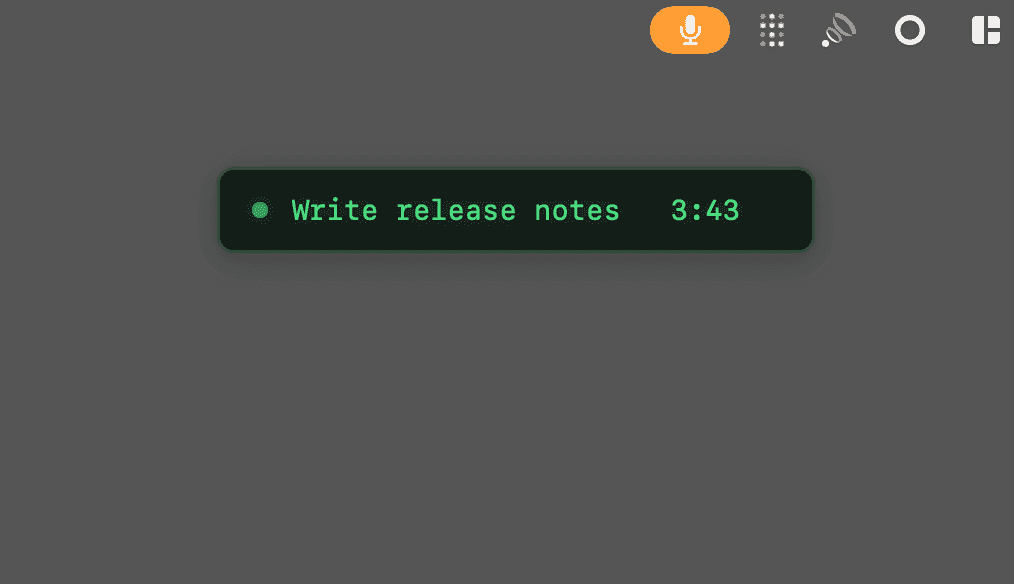
Hit ^⌘. anytime.
See only your current todo.
Zero distractions.
Dashboard Stats
v1.5Hit ⌘U to see your rhythm. Day · Week · Month · All-time.
ECG-style activity pulse. Generative weekly glyph. Contribution dots.
Your productivity, visualized in terminal aesthetics.
Timer
v1.8Press t to set a timer. Presets at 10, 25, 52 min. Customizable.
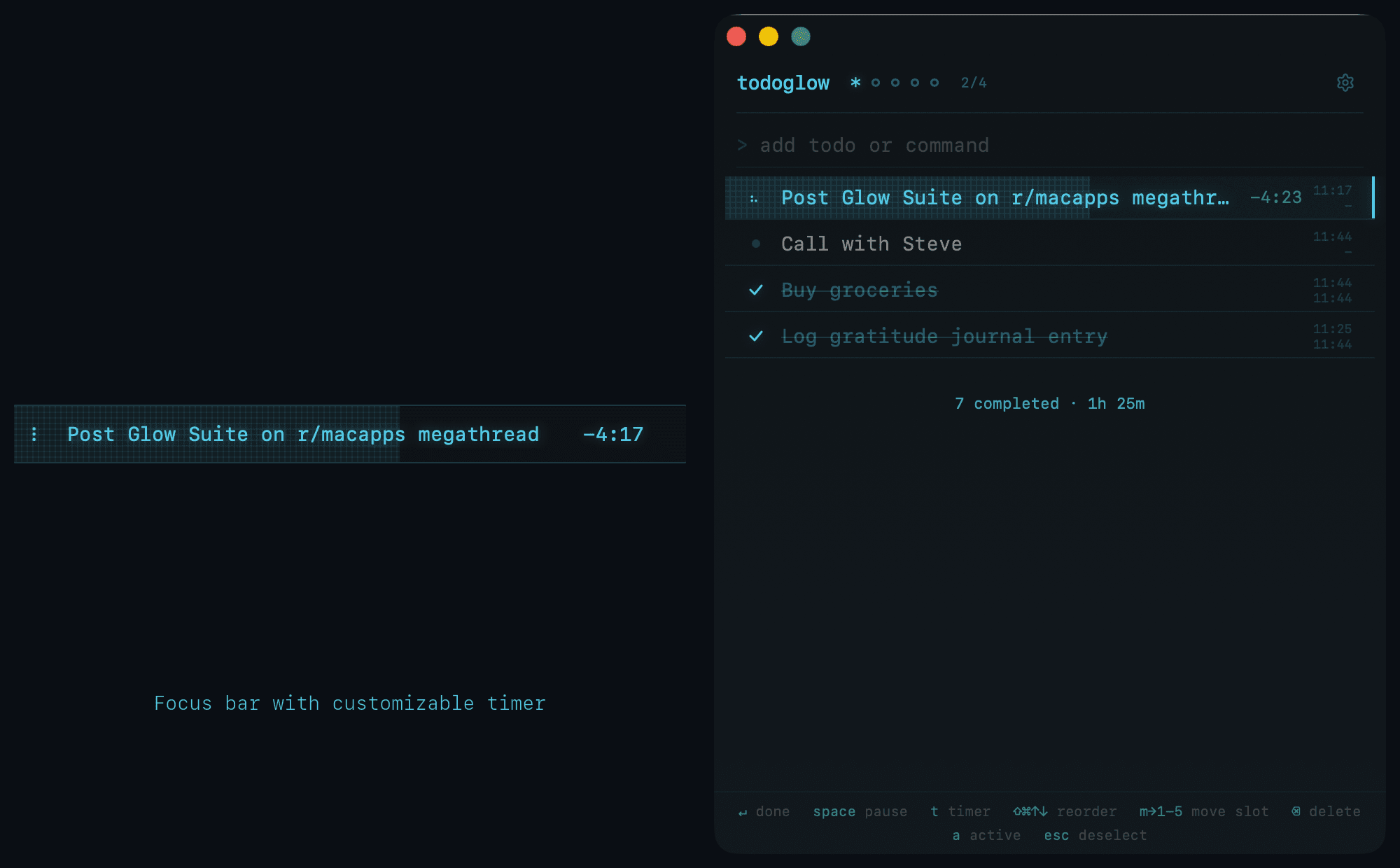
No circular clock, no break mode. The countdown sits next to your todo text in the focus bar. When time is up, you get a notification and move on.
18 Themes
NewDark or light. Pick your vibe. All included.
12 dark themes · Terminal Green · Cyan Blue · Magenta · Sunset Orange and more
Light mode
v1.3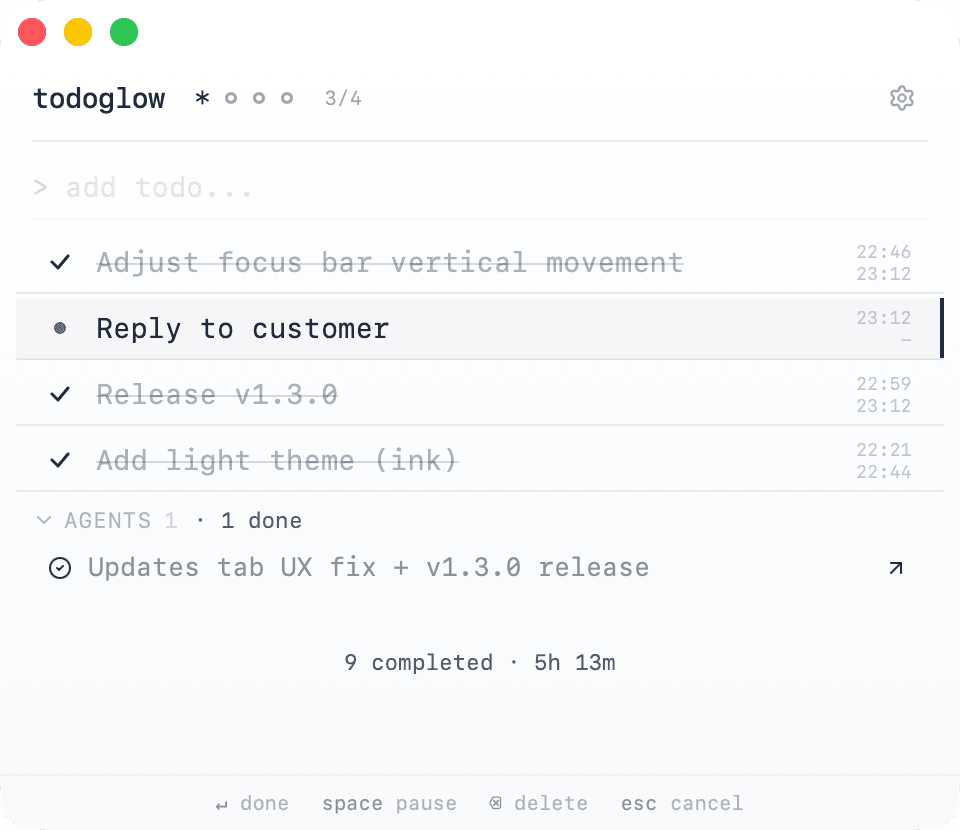
Ink — minimal, easy on the eyes
Features
Focus Mode^⌘.Global
Global shortcut to mini mode. One todo. Full focus. Hit the shortcut anytime to see only your current todo.
Keyboard-first
Satisfying keystrokes. No lag. No friction. Everything you need is a keystroke away.
Terminal aesthetics
12 dark themes with glow. 6 light themes for daytime. Monospace font. Clean enough to leave open.
Dashboard Stats⌘Uv1.5
Activity pulse, weekly glyph, contribution dots. Four views to see your rhythm across day, week, month, and all time.
Receipt View⌘Y → ⌘2v1.8
Your monthly archive rendered as a till-receipt card. Every completed todo, time tracked, printed receipt-style. Export as image to share with your team.
Timertv1.8
Preset timers (10, 25, 52 min, customizable). No circular clock, no break mode. The countdown sits next to your todo text in the focus bar.
AI PolishLab
Type ; or ⌘P to polish your text. Fixes typos, grammar, and even translates. Bring your own Gemini API key.
Command Modev1.7
Type rem buy milk tomorrow right inside todoglow to add it to Apple Reminders via natural language. The keyword is customizable.
What we left out — on purpose: sub-tasks, due dates, recurring todos, tags.
Cloud sync is optional. Local-first by default; sign in to sync your todos across your Macs and PCs.
todoglow does one thing well.
Receipt view
v1.8Hit ⌘Y to open archive, then ⌘2 to switch to receipt view. Your month, printed like a till receipt.
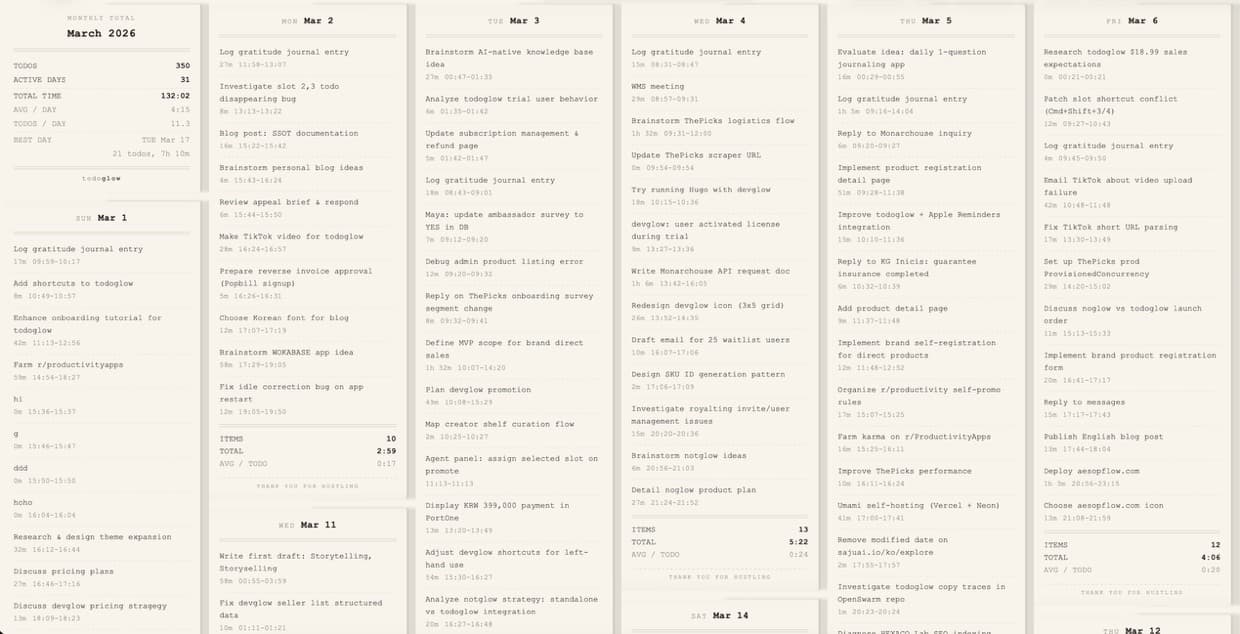
Export as image to share with your team
Behind the scenes
I built devglow for managing dev processes.
Then my girlfriend said: "I want that aesthetic too."
No code, no terminal — just the dark theme and the green glow.
So I made todoglow — same vibes, for everyone.
What people say
"Lightning fast and easy to use. I keep it open throughout my working day. Minimal and that's exactly why I like it. If you like Antinote, you'll love this!"
— Product Hunt
"J'adore l'esthétique et l'ergonomie. On sent vraiment qu'il y a un attachement sincère pour bien faire."
I love the aesthetics and ergonomics. You can truly feel a sincere dedication to getting things right.
— r/macapps
"An always-on floating todo — exactly the app I've been looking for on Mac."
맥에서 상시 플로팅 되는 투두앱 딱 원하던 앱
— Threads
Download
Free for 14 days. No credit card. lifetime · no subscription.
macOS 14 (Sonoma) or later (Apple Silicon and Intel) · Windows 10 or later (64-bit).
Also from Glow Suite

devglow
Process manager for your dev servers
need help getting started?
→ read the guide